Getting Started with Fact Explorer
Last updated: January 26, 2026
Fact Explorer is a chat-style, Q&A experience in Mary that allows you to ask natural-language questions about your matter and receive clear, structured answers that are fully traceable back to the underlying facts and source documents.
It is designed to help you interrogate your matter, analyse the facts, and verify Mary’s answers in an instant.
Note: Fact Explorer is available on any matter created on or after November 20th 2025.
What kinds of questions can I ask?
You can ask any natural-language question about your matter.
Example questions
Summarise the key issues in this matter.
Did John have any pre-existing conditions?
Who were John’s treating doctors before 2015?
Are there any inconsistencies in John’s account of the incident?
What agreement governs the relationship between the parties?
Were there any defects in the goods delivered?
Follow-up questions
You can:
ask follow-up questions based on a previous question and/or answer, or
ask entirely new questions about the same matter.
How answers are presented
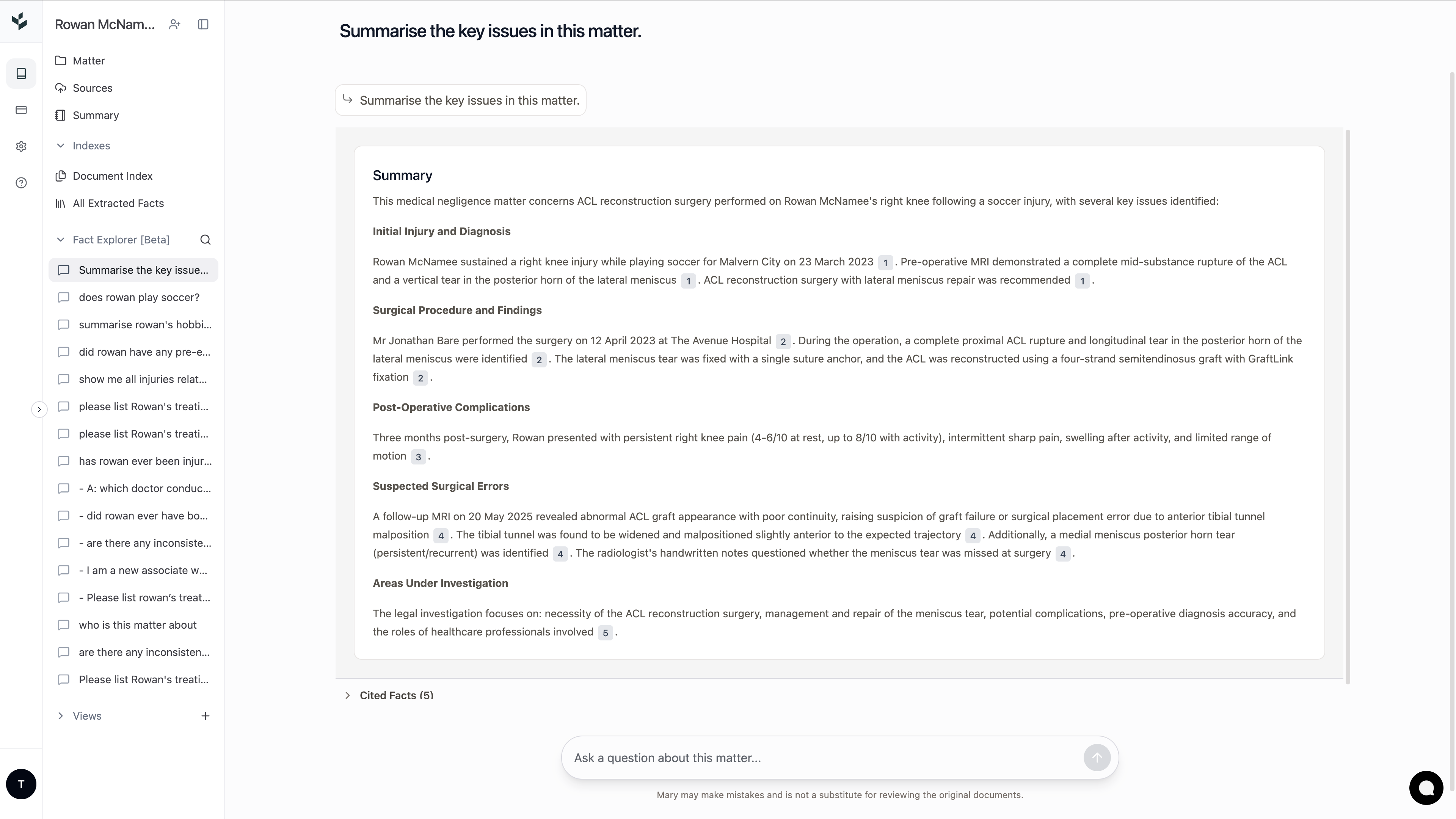
Each answer is optimised for clarity and fast review, and is split into two sections
1. Summary answer
A concise written answer designed to comprehensively answer all queries, while ensuring fast review. We recommend including the structure you would like your answer in, where there is one, to get the best results for you (e.g. please outline John pre-existing conditions, splitting them into a table of physical and psychological conditions.”)
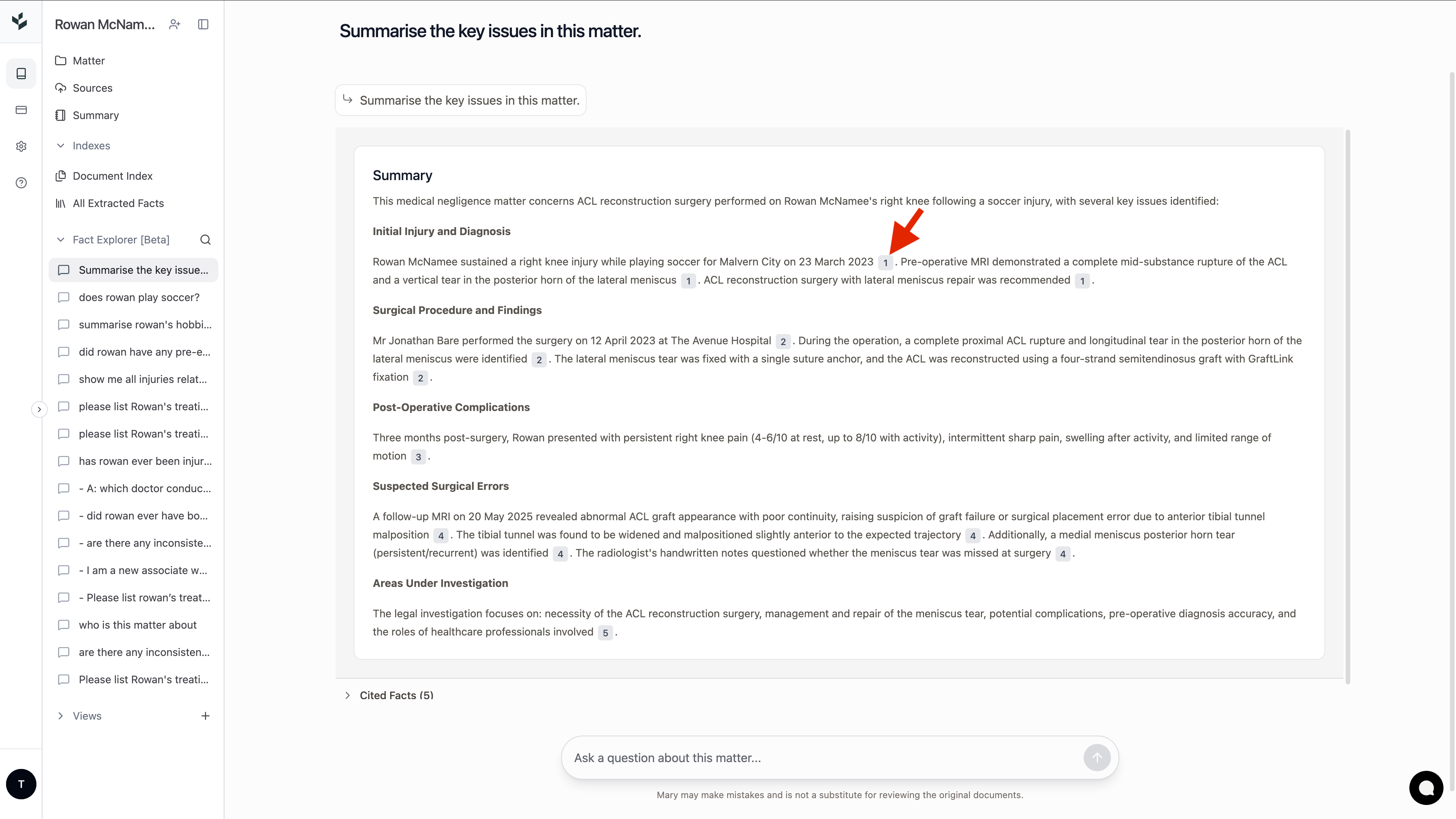
Inline citations
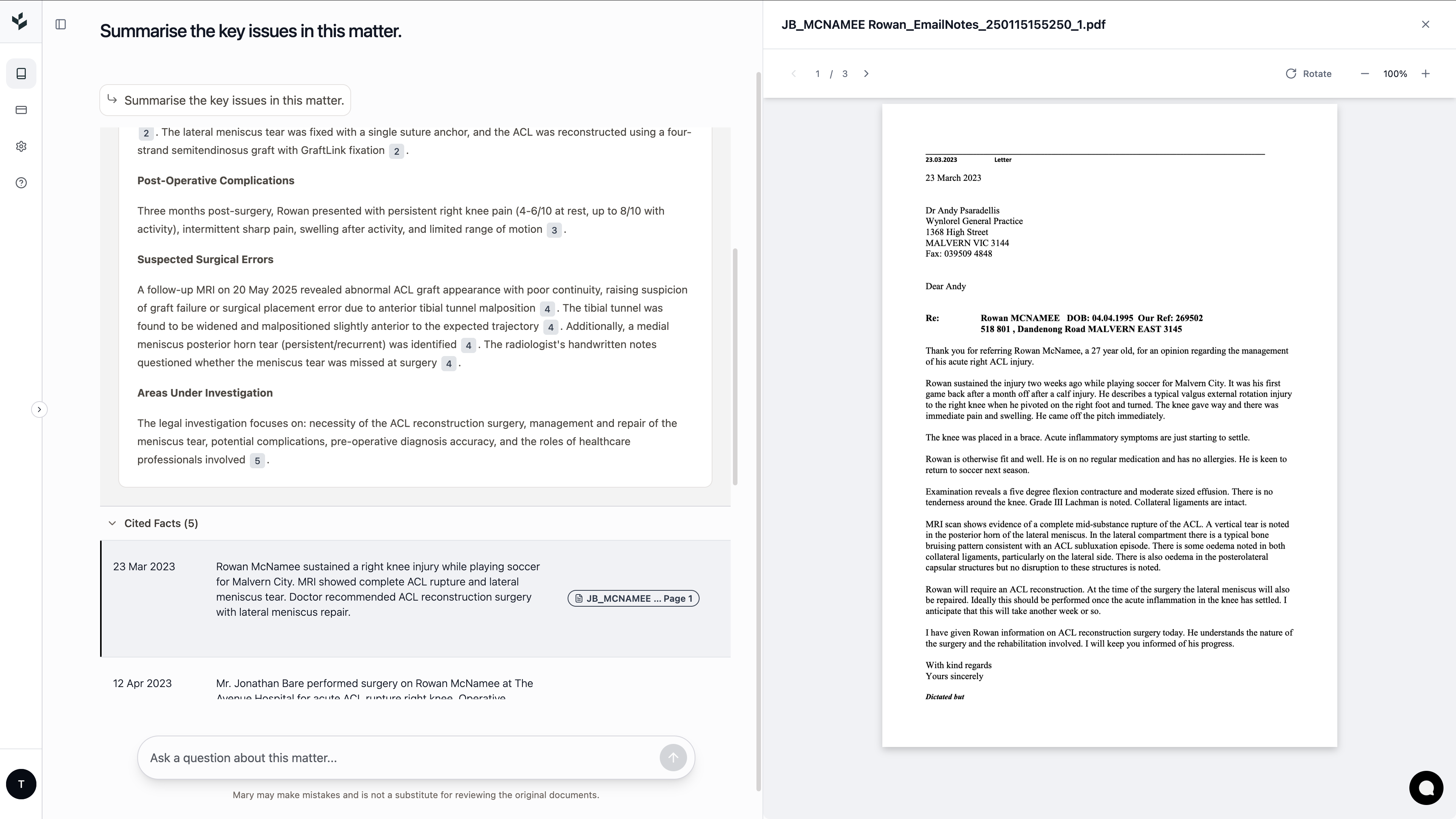
Every sentence includes inline citations.
Citations are clickable and link directly to:
the underlying facts in Mary, and
the exact source document pages those facts come from (which open side-by-side once a citation is clicked)
This allows you to verify any statement in Mary’s answer in one click.
2. Cited facts
All facts used to answer the question are shown beneath the summary answer as cited facts. These are collapsed by default and can be expanded for deeper review.
How to use Fact Explorer
Open any matter created since November 20, 2025
Fact Explorer will only be enabled on matters created on or after November 20, 2025
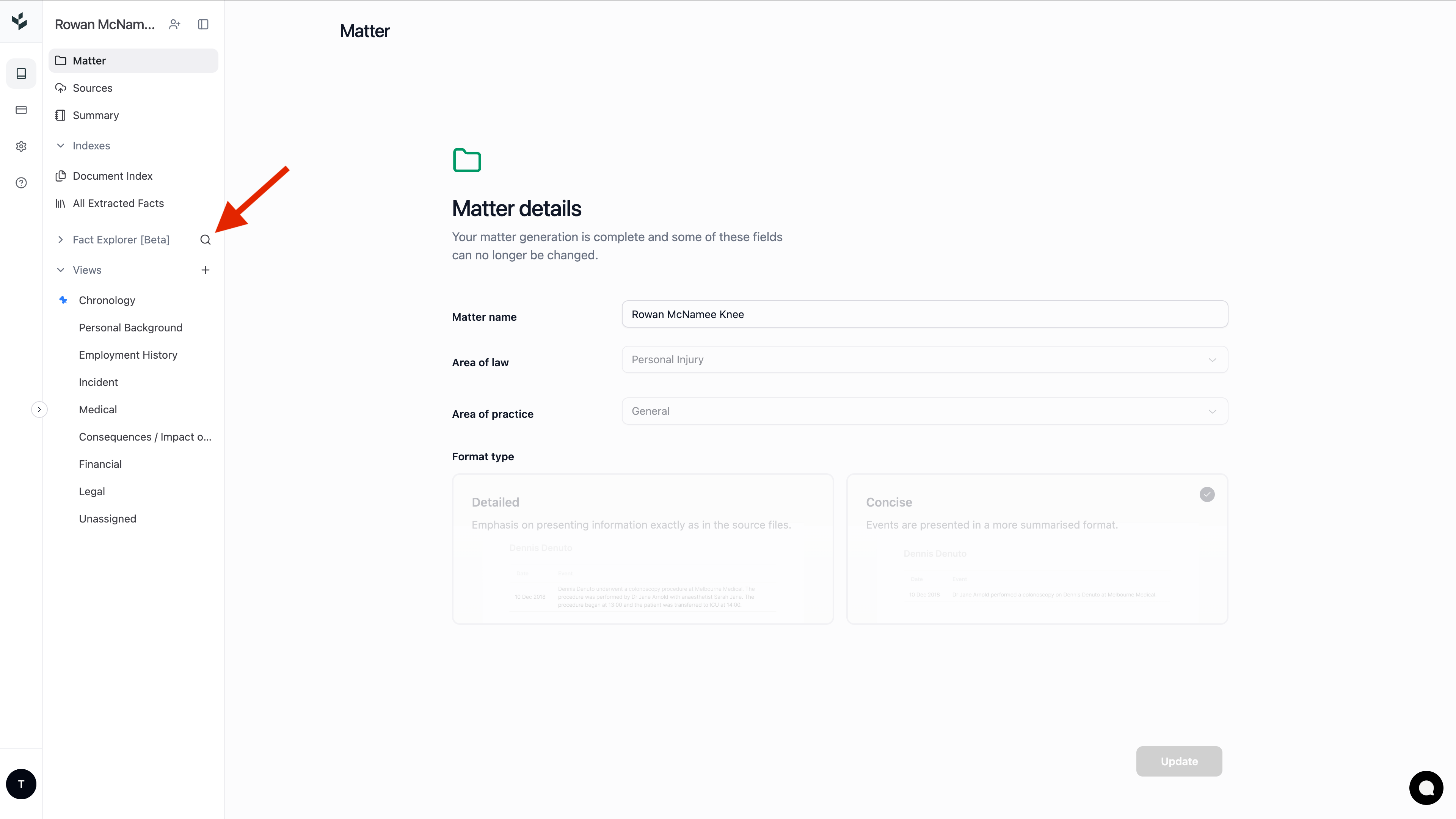
Click the Fact Explorer tab
Click the Fact Explorer tab on the left-hand side of the screen.
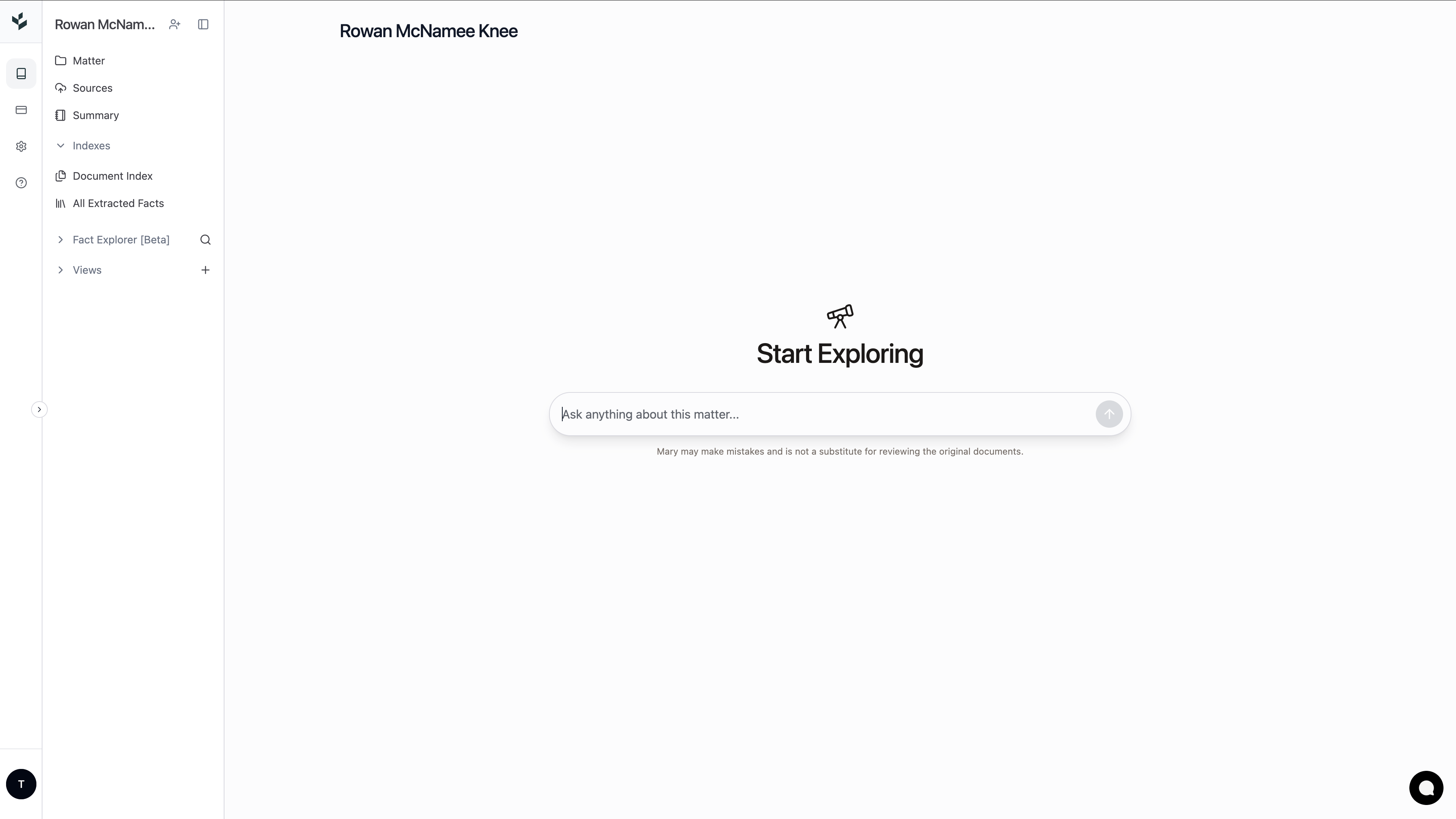
Ask any question
Use the Fact Explorer search bar to ask a question in plain language (for example, “Summarise the key issues in this matter.”)
Review the summary answer
Read Mary's response to quickly understand the answer.
Verify
Click any inline citation to:
view the supporting facts, and
open the relevant source document pages in the side panel.
Ask follow-up questions
Refine your understanding by asking follow-up questions or exploring new angles of the matter.
Limitations
Fact Explorer is not yet optimised for drafting, including:
affidavits,
submissions,
letters or emails, and
other legal documents.
Experiencing any issues?
If you experience any issues with Fact Explorer, please reach out to our Product Manager, Timi (timi@marytechnology.com).