Create a drafting template
Last updated: September 24, 2026
Organisation admins can create firm drafting templates from approved precedents or blank templates. A template gives Mary a consistent structure and approach for a type of document. To use an existing template in a matter, follow Draft a document.
Open template setup
Go to Settings → Document Templates → Draft templates and select New template.
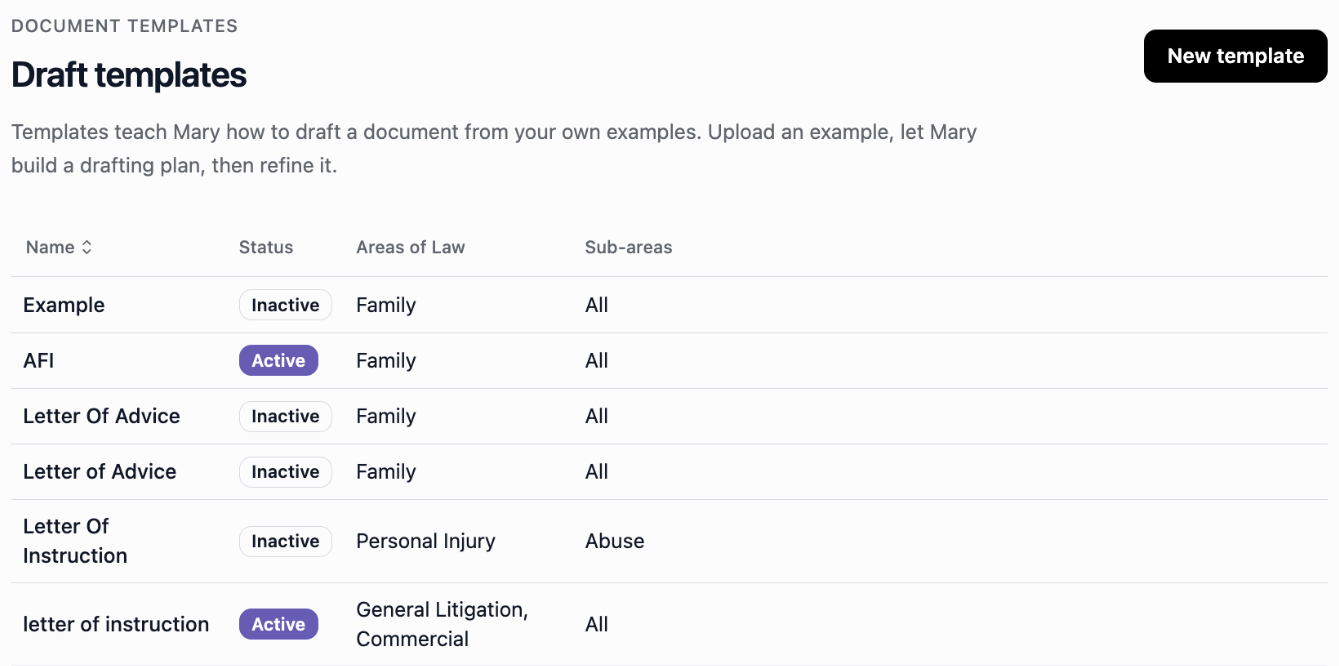
Select New template to add a firm drafting template.
Add the details and examples
Give the template a descriptive Name, such as Letter of advice.
Select its Areas of Law and Sub-areas of Law. Choose an area before its sub-areas, or leave the fields blank to apply the template across all areas at that level.
Under Upload example files, select Choose files and add approved precedents or blank templates. You can add up to five example files.
Select Generate to build a drafting plan from those examples.
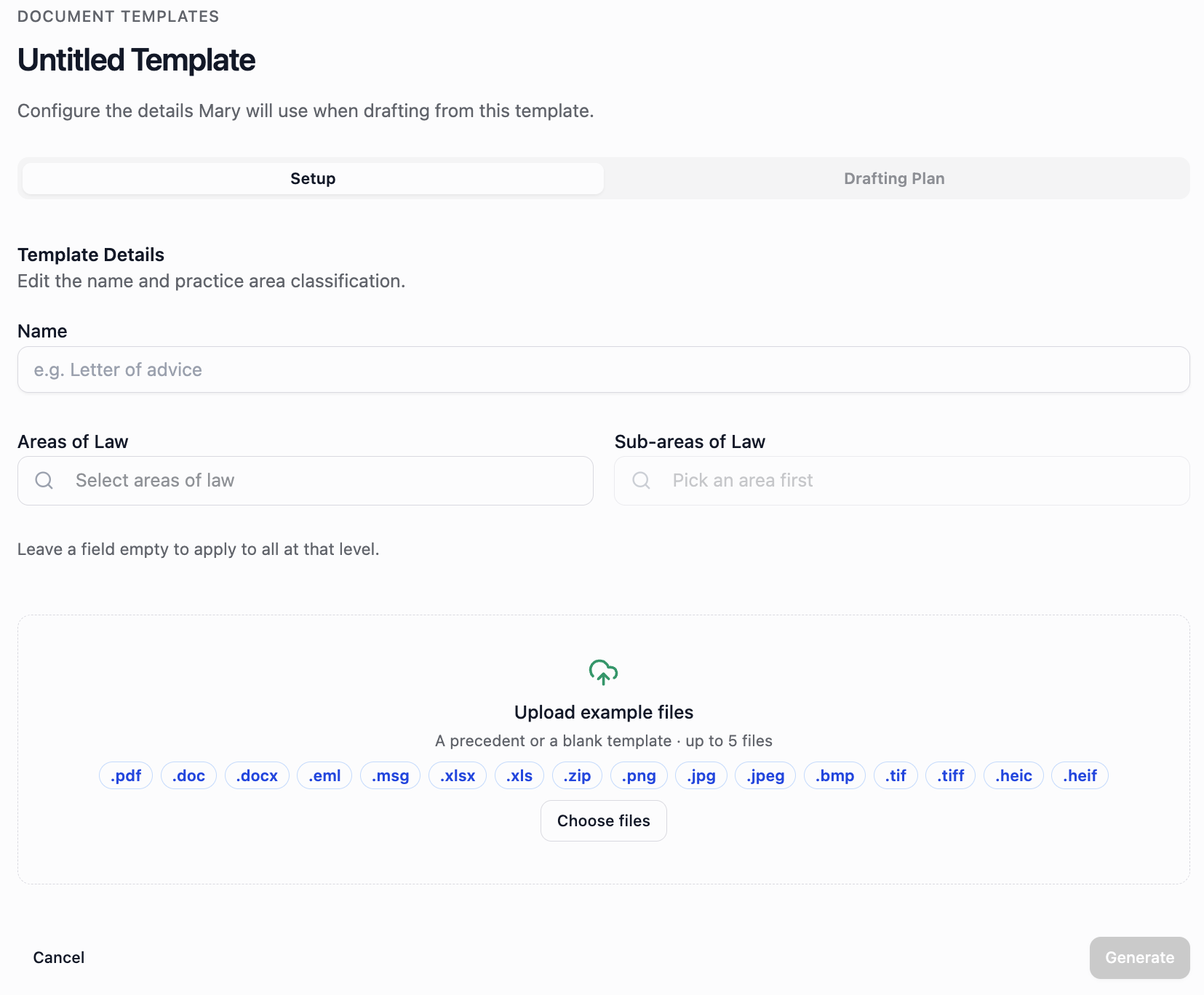
Add the template details and example files, then generate its drafting plan.
Leaving Areas of Law blank applies the template across all areas. If you choose an area but leave Sub-areas of Law blank, it applies across that area's sub-areas.
The example-file form accepts .pdf, .doc, .docx, .eml, .msg, .xlsx, .xls, .zip, .png, .jpg, .jpeg, .bmp, .tif, .tiff, .heic and .heif. These formats and the five-file limit apply to template examples. Matter source documents have separate supported files and upload limits.
Review the plan and use the template
Review and refine the drafting plan so it reflects your firm's headings, content and approach. Check that the examples have not introduced case-specific details that should vary in each new draft.
Once template setup is complete, the template appears inside matters under Mary tools → Draft documents. Select it there to prepare a document using the matter's sources. Follow Draft a document for the drafting, editing and download steps.
Give colleagues the template's name and intended use so they can choose the right one.