Review and verify entries
Last updated: September 24, 2026
Use Review to work through entries and record your decisions after checking the evidence. Review is available in the Workspace of chronologies, tabular reviews, financial analyses and other work products containing facts or information to examine. Draft documents use ordinary text editing instead; see Draft a document.
Start Review
Open the work product from My workspaces, or select Open in workspace on its completed result in Chats.
On Workspace, select Review in the toolbar above the entries.
Choose the review statuses and/or flags you want to examine.
Select Start review.
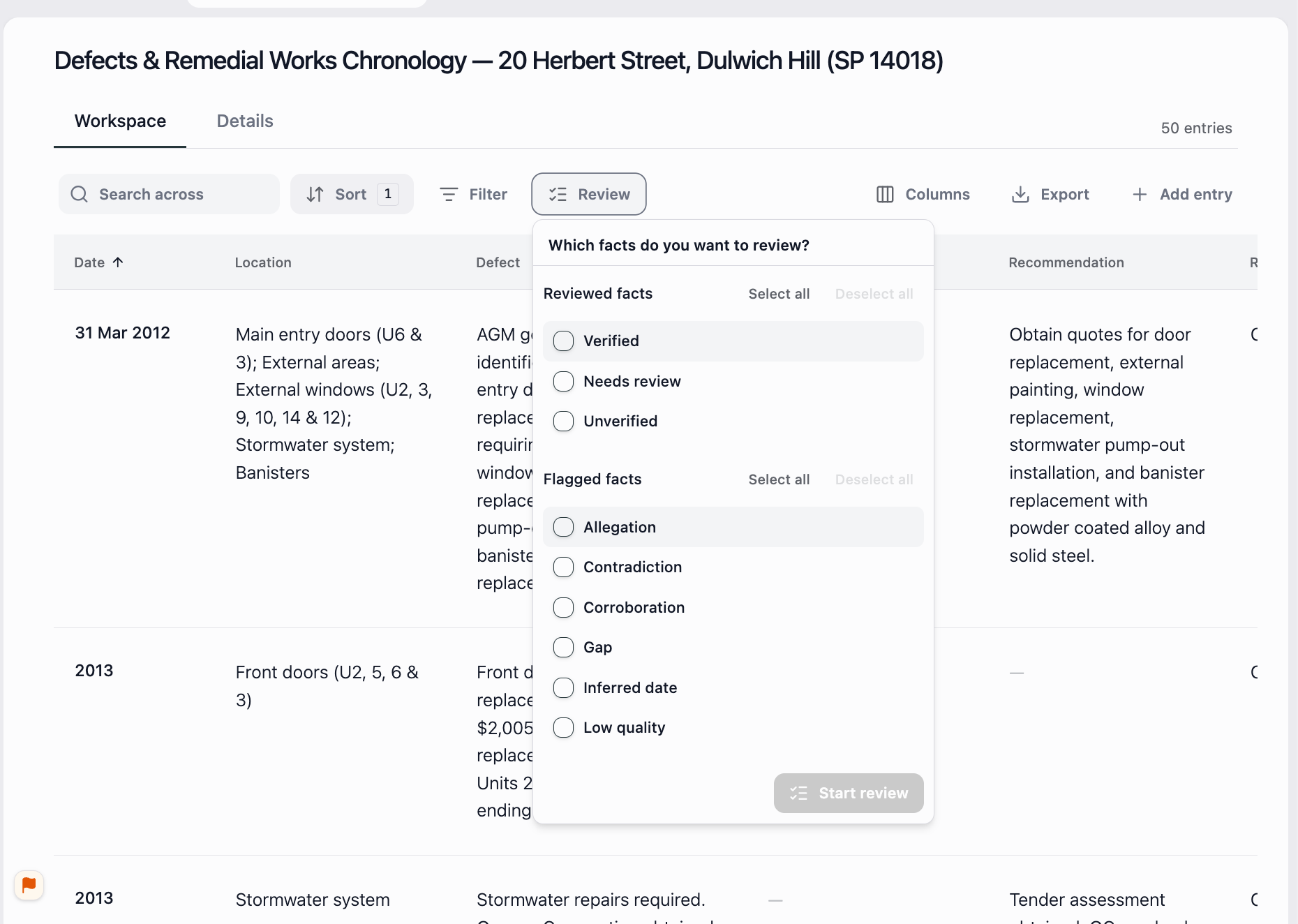
Choose the statuses or flags you want to examine, then select Start review.
The toolbar changes to Reviewing, and a Review column appears with controls beside each entry.
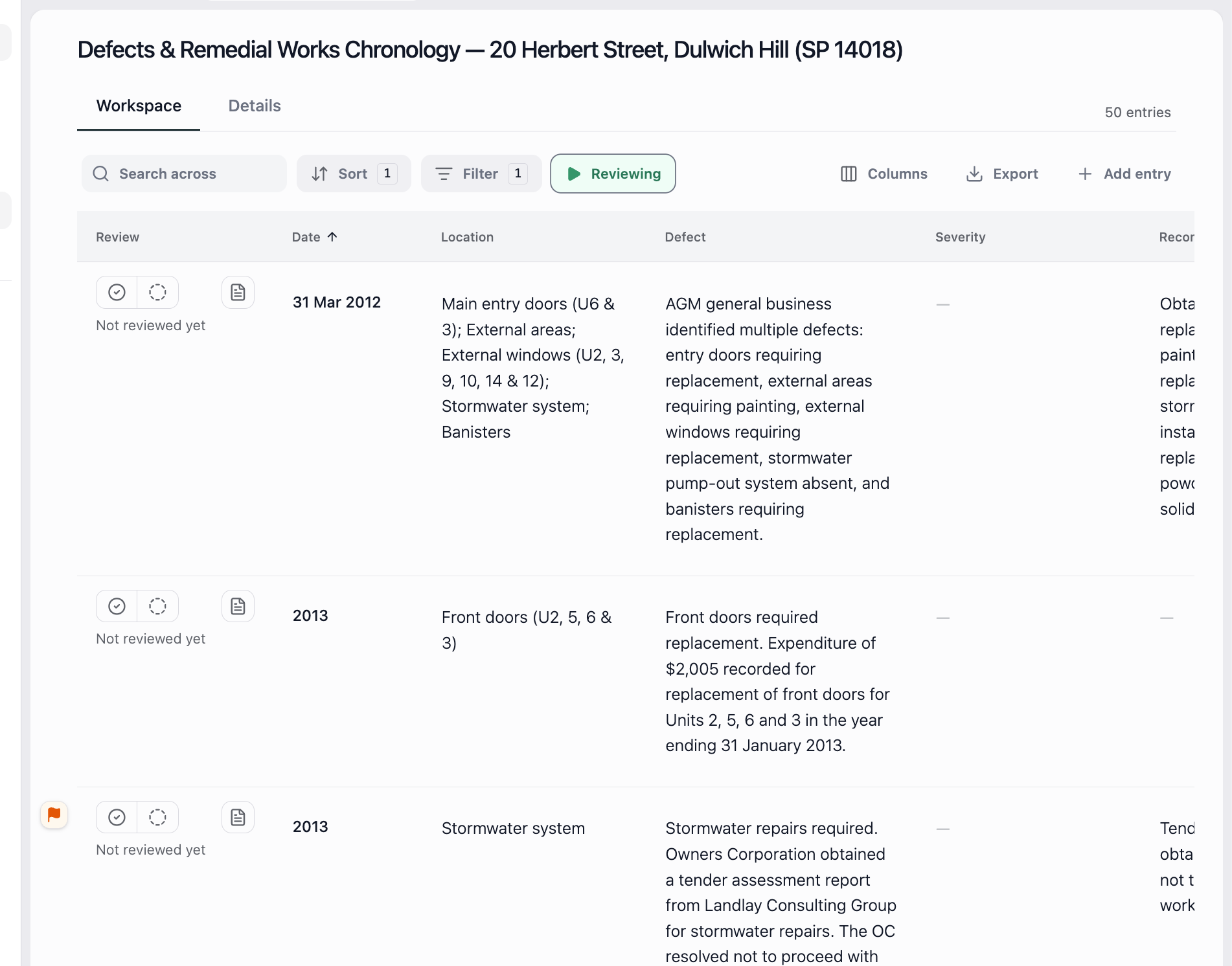
Reviewing shows that Review is active. Use the controls beside each entry to record your decision.
Choose statuses and flags
Under Reviewed facts, choose Unverified for entries not yet verified, Needs review for entries requiring further attention, or Verified to revisit recorded decisions.
Under Flagged facts, use the flag that matches the point you want to check:
Allegation: Who made the claim and whether the entry keeps it attributed.
Contradiction: Whether the differing accounts concern the same event or point.
Corroboration: How the sources support each other and whether they are independent accounts.
Gap: The missing information described in the flag.
Inferred date: The wording and context used to work out the date.
Low quality: The source-quality problem and whether it affects the entry.
Privileged, where available: Read the flag's explanation and assess whether the material is appropriate to share.
Available flags can vary. A Privileged flag does not conclusively determine legal privilege. A flag identifies something to examine. Read its explanation and follow the source reference; the label alone does not decide whether the information is correct.
Check an entry and record your decision
Open the entry's citation and read the surrounding source passage.
Compare the entry's date, names, amounts and wording with the source. Keep any condition, uncertainty or disputed claim clear.
Correct inaccurate wording by clicking the editable cell. Changes save and sync automatically.
When the entry accurately reflects the evidence, use the checkmark in its Review column to mark it as verified. Otherwise, leave it unverified or use the entry's review controls to record that it needs review.
Check the status displayed beside the entry before continuing to the next one.
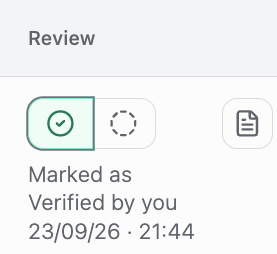
This chronology entry records who verified it and when.
Verification is your review decision. Starting Review does not validate the information automatically. An entry can accurately record a witness's allegation without proving that the alleged event happened.
For chronology-specific history, changed-row review states and updates after new documents, follow Create and edit a chronology. For transaction checks, use Analyse bank statements. Check the work you intend to share before exporting it.